Video hero section
Full-bleed video or image hero that shrinks into a rounded card as you scroll, with an optional giant fitted heading.
The same section in the three themes:
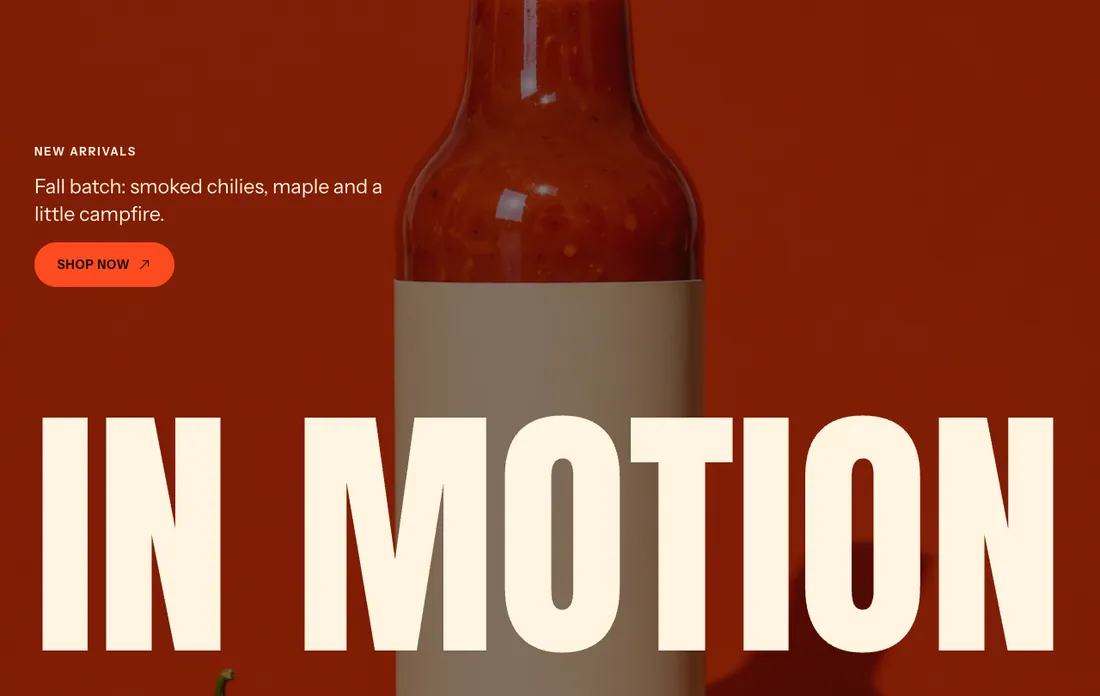
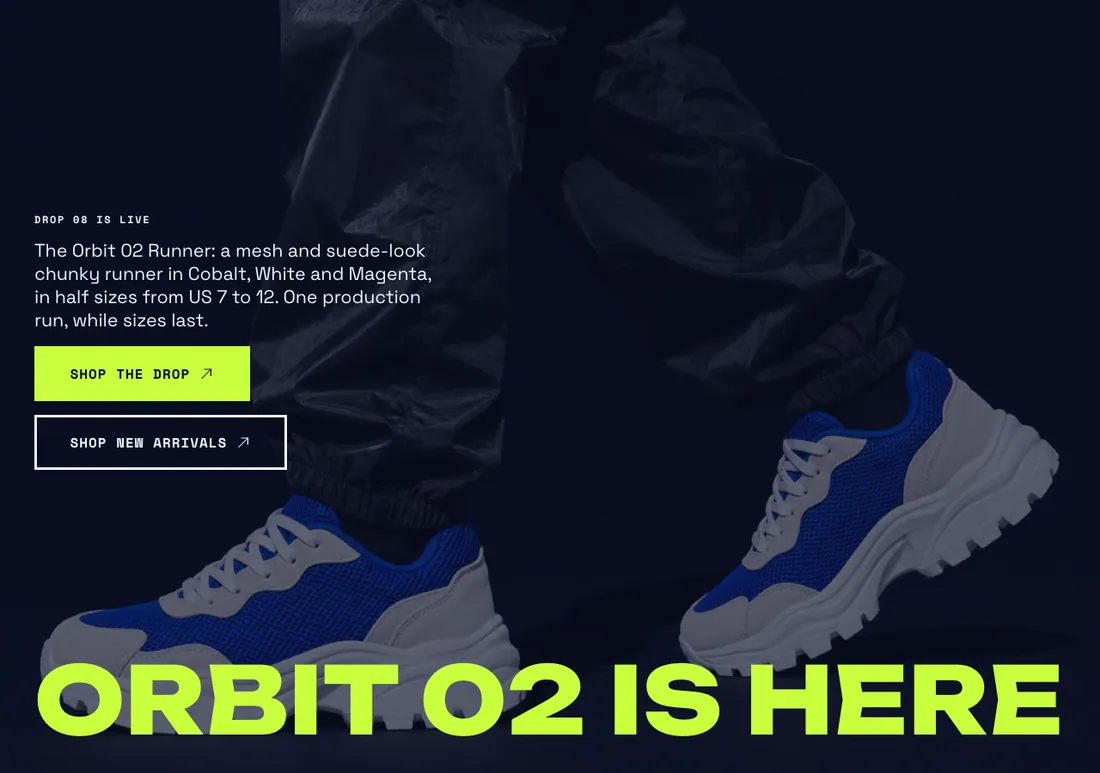
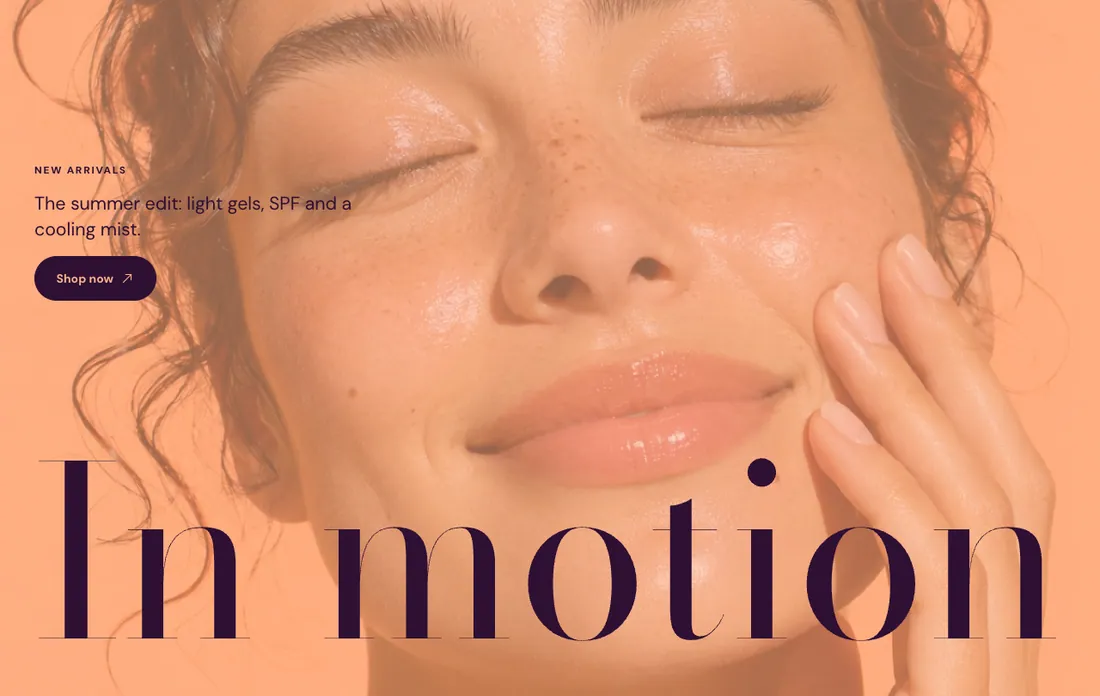
Where to find it: In the theme editor, choose Add section on any template, then pick Video hero.
When you add this section, it starts from the Video hero preset.
Settings
Section titled “Settings”| Setting | Type | Default | Options | Notes |
|---|---|---|---|---|
| Video | Video | |||
| YouTube or Vimeo link | Video link | https://www.youtube.com/watch?v=_9VUPq3SxOc | Plays when you leave the video file empty. Works with YouTube and Vimeo links. | |
| Cover image | Image | Shows while the video loads and when it cannot play. Falls back to the first frame of the video. | ||
| Autoplay | Checkbox | Off | The video always plays muted. Customers who prefer reduced motion see it paused. | |
| Overlay opacity | Slider | 35 % | 0 to 90 %, step 5 | |
| Height | Select | Large | Small, Medium, Large, Full screen | |
| Scroll effect | Select | Shrink into a rounded card | None, Shrink into a rounded card, Zoom in | Plays as customers scroll past the section, unless you turn motion off. |
Giant heading
Section titled “Giant heading”| Setting | Type | Default | Options | Notes |
|---|---|---|---|---|
| Heading | Text | In motion | Scales to span the full width. Leave empty to use blocks only. | |
| HTML tag | Select | Heading 2 | Heading 1, Heading 2, Paragraph | |
| Font | Select | Heading | Heading, Accent, Body | |
| Text color | Select | Color scheme text | Color scheme text, Accent | |
| Heading position | Select | Bottom | Top, Bottom |
Content
Section titled “Content”| Setting | Type | Default | Options | Notes |
|---|---|---|---|---|
| Position | Select | Middle left | Top left, Top center, Top right, Middle left, Middle center, Middle right, Bottom left, Bottom center, Bottom right | |
| Content width | Select | Normal | Narrow, Normal, Wide |
Section style
Section titled “Section style”| Setting | Type | Default | Options | Notes |
|---|---|---|---|---|
| Color scheme | Color scheme | Scheme 3 | ||
| Layout width | Select | Full width | Page width, Full width | |
| Animation on scroll | Select | Theme default | Theme default, None, Fade, Slide up, Scale in, Wipe, Blur in | |
| Top padding | Slider | 0 px | 0 to 200 px, step 8 | |
| Bottom padding | Slider | 0 px | 0 to 200 px, step 8 |
Blocks
Section titled “Blocks”You can also add any theme block (see Blocks) and app blocks to this section.