Text with inline images section
Large manifesto text that inks in word by word on scroll, with inline image chips.
The same section in the three themes:

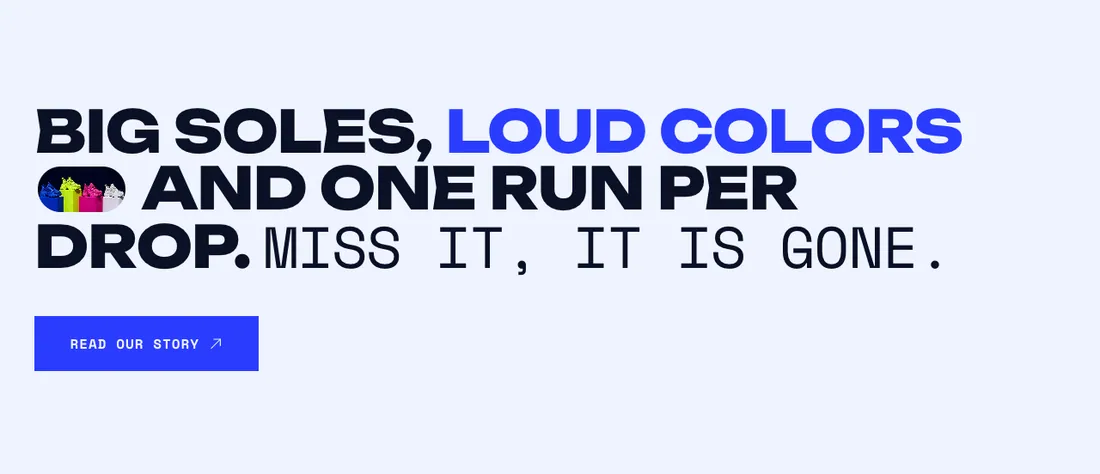
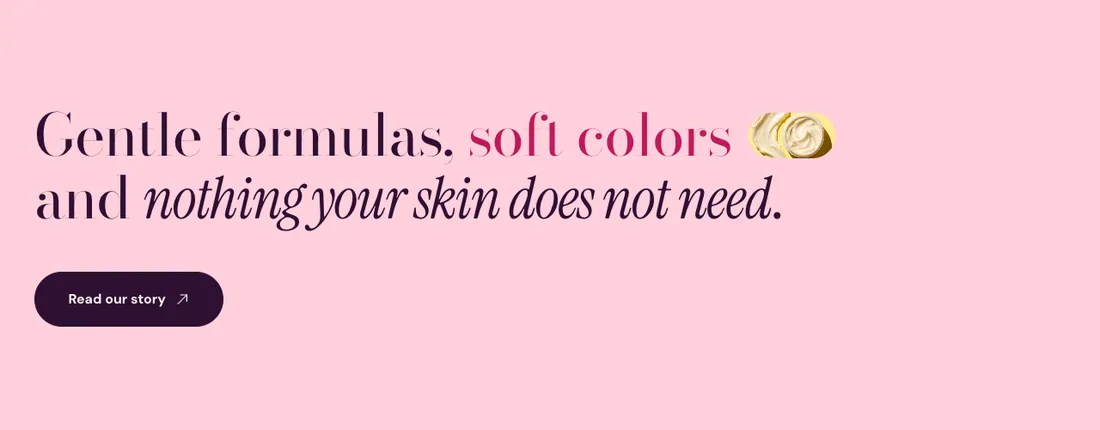
Where to find it: In the theme editor, choose Add section on any template, then pick Text with inline images.
When you add this section, you can start from these presets: Text with inline images, Brand promise with images.
Settings
Section titled “Settings”| Setting | Type | Default | Options | Notes |
|---|---|---|---|---|
| Statement | Rich text | Say what your brand stands for [1] in a sentence or two. Bold, honest and easy to remember works best. | Bold words take the emphasis style. Italic words switch to the thin accent font. | |
| Bold word style | Select | Accent color | Accent color, Highlighter, Outline | |
| Text style | Select | Heading 2 | Intro text, Heading 5, Heading 4, Heading 3, Heading 2, Heading 1, Extra large heading | |
| Alignment | Text alignment | left | Left, center, right | |
| Content width | Select | Wide | Narrow, Normal, Wide, None | |
| Block position | Select | Below the statement | Above the statement, Below the statement | Where the blocks you add (small heading, button, text) sit relative to the statement. |
Type [1], [2] or [3] inside the statement to drop the matching image into the sentence.
Inline images
Section titled “Inline images”| Setting | Type | Default | Options | Notes |
|---|---|---|---|---|
| First image | Image | |||
| Second image | Image | |||
| Third image | Image | |||
| Image shape | Select | Pill | Pill, Circle, Card |
Motion
Section titled “Motion”| Setting | Type | Default | Options | Notes |
|---|---|---|---|---|
| Fade in words on scroll | Checkbox | On | Words fill in from a softer color to full color as the statement moves through the screen. They show at full color when motion is off. | |
| Faded word strength | Slider | 20 % | 5 to 60 %, step 5 | How strong words look before they fill in. The theme raises it when needed so faded words stay readable. Shown when Fade in words on scroll is on. |
Section style
Section titled “Section style”| Setting | Type | Default | Options | Notes |
|---|---|---|---|---|
| Color scheme | Color scheme | Scheme 1 | ||
| Layout width | Select | Page width | Page width, Full width | |
| Animation on scroll | Select | Theme default | Theme default, None, Fade, Slide up, Scale in, Wipe, Blur in | |
| Top padding | Slider | 120 px | 0 to 200 px, step 8 | |
| Bottom padding | Slider | 120 px | 0 to 200 px, step 8 |
Blocks
Section titled “Blocks”You can also add any theme block (see Blocks) and app blocks to this section.