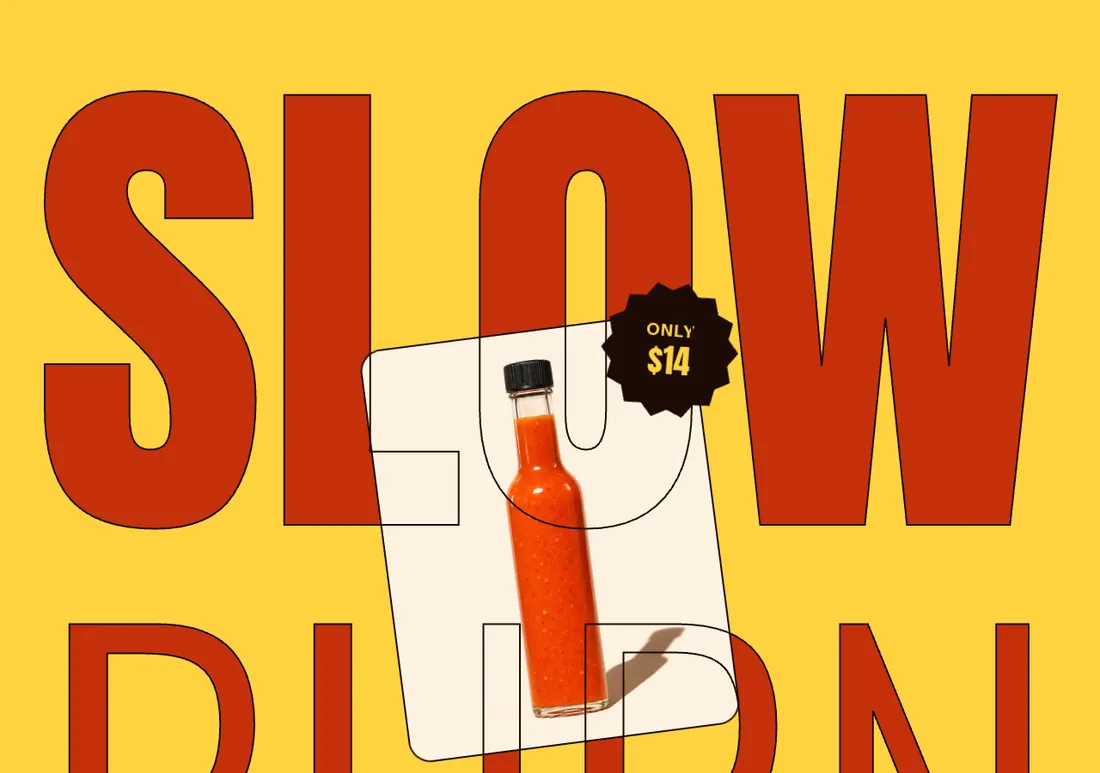
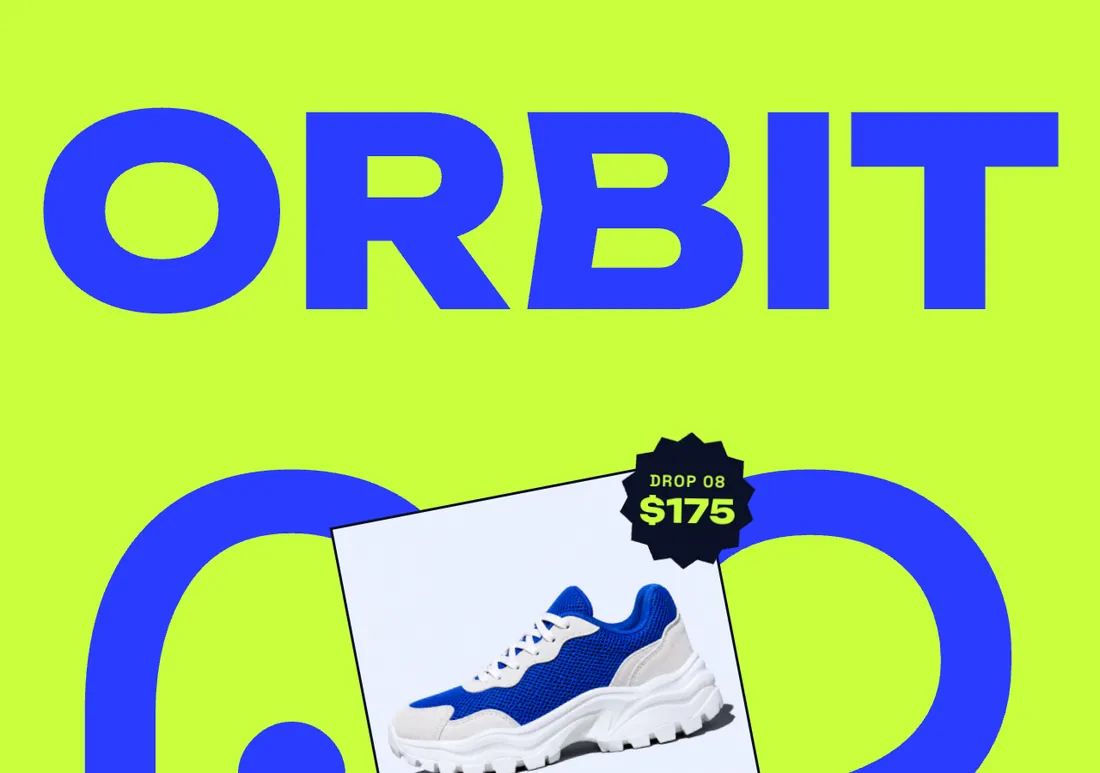
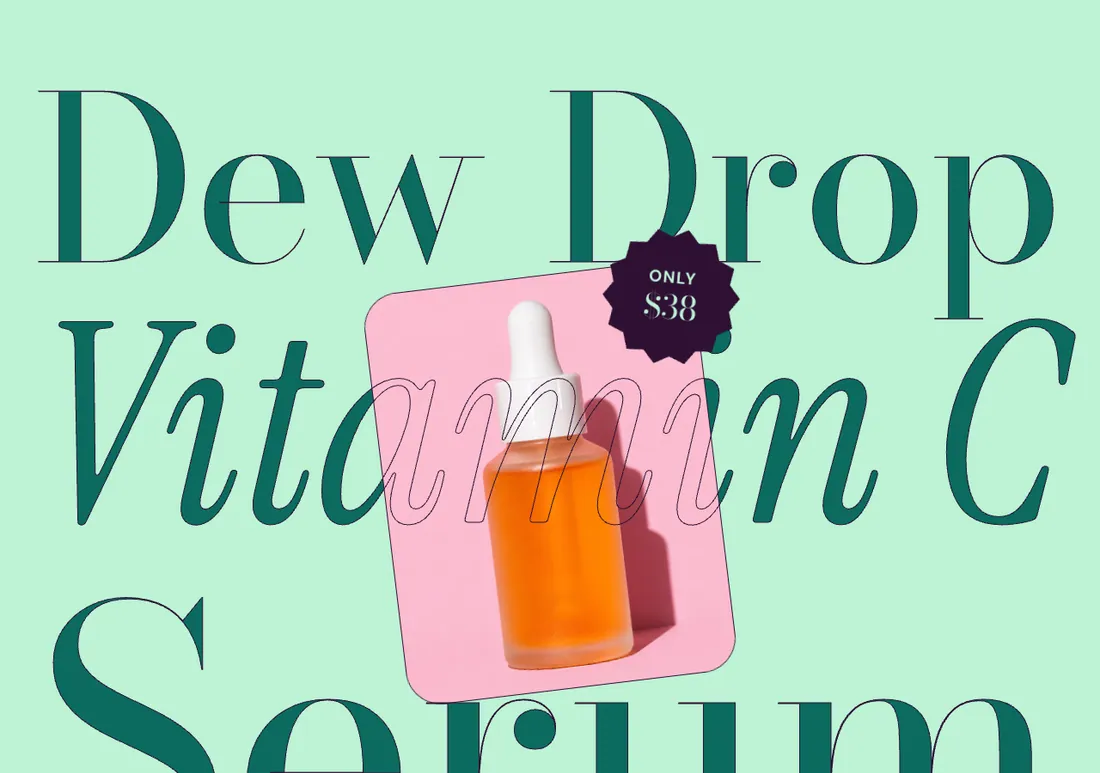
One product staged large: wrap-around fitted title, spinning price sticker and feature chips.
The same section in the three themes:
Picante styleOverdrive stylePastille style Where to find it: In the theme editor, choose Add section on any template, then pick Product spotlight.
When you add this section, it starts from the Product spotlight preset.
| Setting |
Type |
Default |
Options |
Notes |
| Product |
Product |
|
|
|
| Small heading |
Text |
The one everybody wants |
|
|
| Setting |
Type |
Default |
Options |
Notes |
| Heading |
Text |
|
|
Leave empty to use the product name. |
| Layout |
Select |
Stacked lines |
One line, Stacked lines |
|
| Style |
Select |
Wrap around the image |
Behind the image, Wrap around the image |
Wrap around adds an outlined copy of the heading over the image, so the letters appear to pass behind and in front of the product. |
| Text color |
Select |
Accent |
Color scheme text, Accent |
|
| Alternate heavy and thin lines |
Checkbox |
On |
|
Shown when Layout is Stacked lines. |
| Setting |
Type |
Default |
Options |
Notes |
| Image ratio |
Select |
Portrait (4:5) |
Adapt to image, Portrait (4:5), Square (1:1) |
|
| Position |
Select |
Center |
Left, Center, Right |
|
| Width |
Slider |
32 % |
20 to 60 %, step 2 |
Share of the section width on desktop. |
| Image angle |
Slider |
-6 deg |
-15 to 15 deg, step 1 |
|
| Rotation on scroll |
Slider |
14 deg |
0 to 30 deg, step 2 |
How far the image turns as the section scrolls past. 0 keeps it still. |
| Drift images on scroll |
Checkbox |
On |
|
|
| Setting |
Type |
Default |
Options |
Notes |
| Show price sticker |
Checkbox |
On |
|
|
| Sticker text |
Text |
Only |
|
Shown when Show price sticker is on. |
| Spin the sticker |
Checkbox |
On |
|
With bold motion, the sticker spins as customers scroll. Shown when Show price sticker is on. |
| Setting |
Type |
Default |
Options |
Notes |
| Show description |
Checkbox |
On |
|
|
| Description |
Rich text |
|
|
Leave empty to use the first lines of the product description. Shown when Show description is on. |
| Alignment |
Select |
Left |
Left, Center, Right |
|
| Button style |
Select |
Solid |
Solid, Outline |
|
| Show link to the product page |
Checkbox |
On |
|
|
| Setting |
Type |
Default |
Options |
Notes |
| Color scheme |
Color scheme |
Scheme 4 |
|
|
| Layout width |
Select |
Page width |
Page width, Full width |
|
| Animation on scroll |
Select |
Theme default |
Theme default, None, Fade, Slide up, Scale in, Wipe, Blur in |
|
| Top padding |
Slider |
80 px |
0 to 200 px, step 8 |
|
| Bottom padding |
Slider |
80 px |
0 to 200 px, step 8 |
|
This section holds up to 8 blocks.