Set up your menus
Edit your menu links in Shopify, then tell Picante which menus to show in the header and footer.
Edit a menu
Section titled “Edit a menu”- In your Shopify admin, select Content (marker 1).
- Select Menus (marker 2).
- Select Main menu (marker 3).
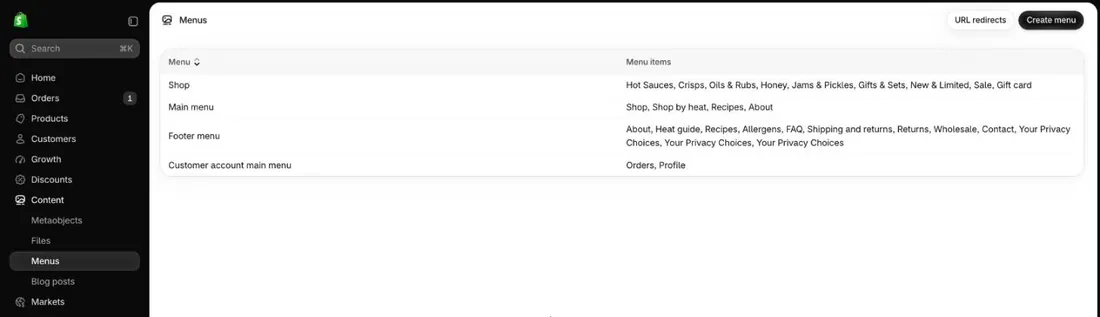
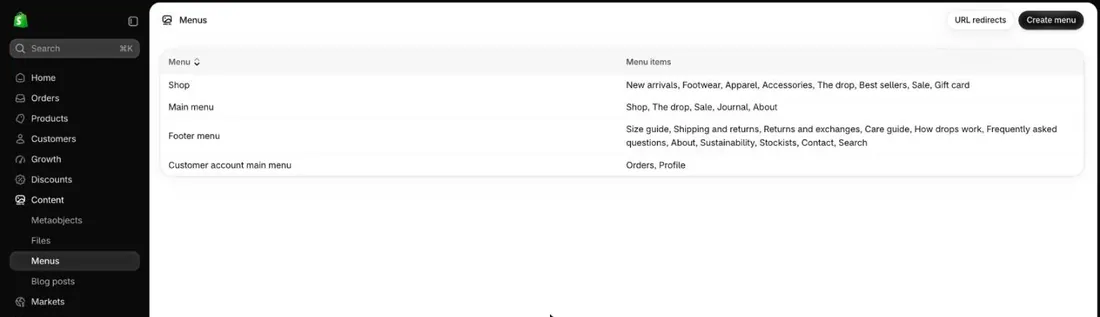
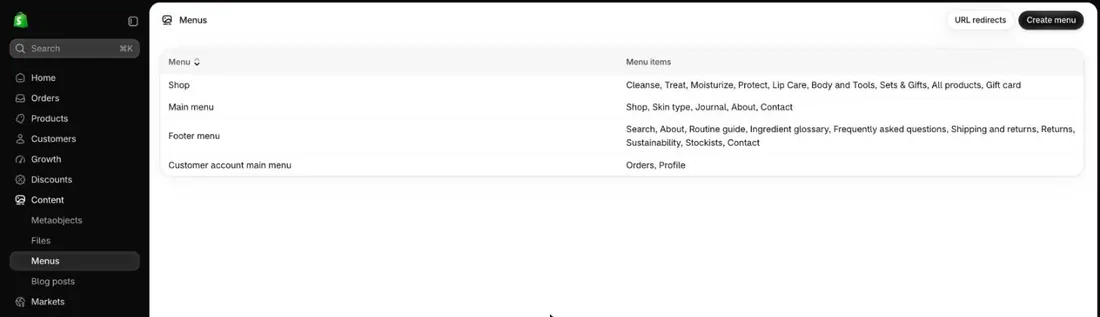
- Add, rename or remove links.
- Drag a link under another one to make a dropdown.
- Select Save menu.
- For your footer links, repeat with Footer menu.
Choose the header menu
Section titled “Choose the header menu”- In the theme editor, select Header (marker 1).
- Under Main menu (marker 2), pick your menu.
- Under Main menu style (marker 3), pick Large dropdown menu or Dropdown.
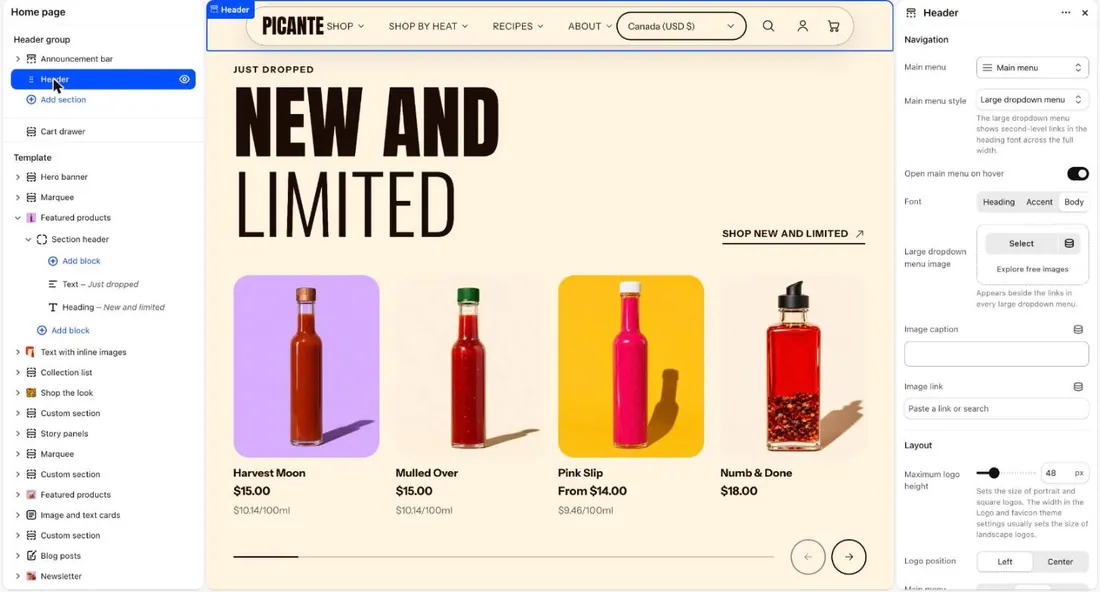
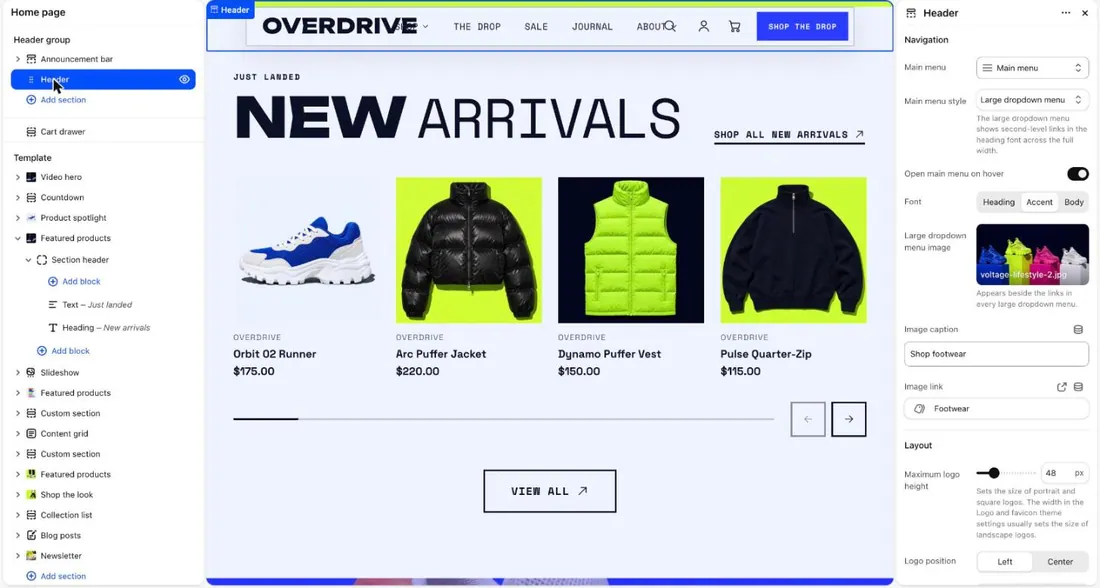
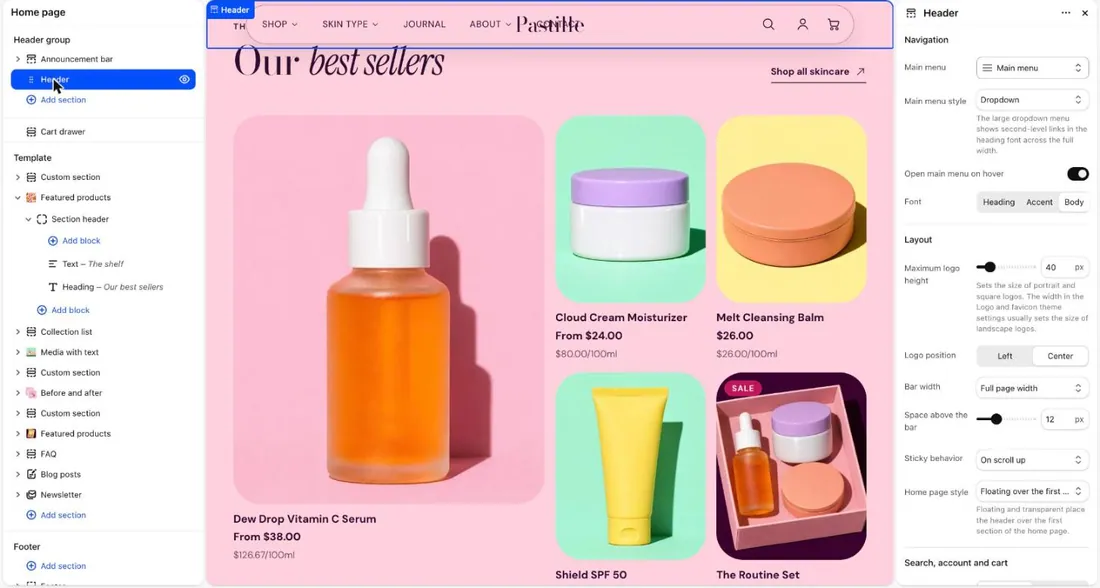
- Turn Open main menu on hover on or off. When it is on, menus open as the pointer rests on them.
- Select Save.
Choose the footer menu
Section titled “Choose the footer menu”- In the left list, select Footer.
- If it has a Footer menu block, select it. If not, select Add block, then Footer menu.
- Under Footer menu, pick your menu.
- Select Save.
Good to know
Section titled “Good to know”- Large dropdown menu opens a wide panel. Dropdown opens a small list.
- A link with no links under it is a plain link. It opens no dropdown.
- Large dropdown menu image adds one picture beside the links in every large dropdown menu.
- On phones, the menu opens full screen. Shopify explains every menu control in Menus and links.
See every setting: Header and Footer. Selling in more than one language? See Languages and markets.